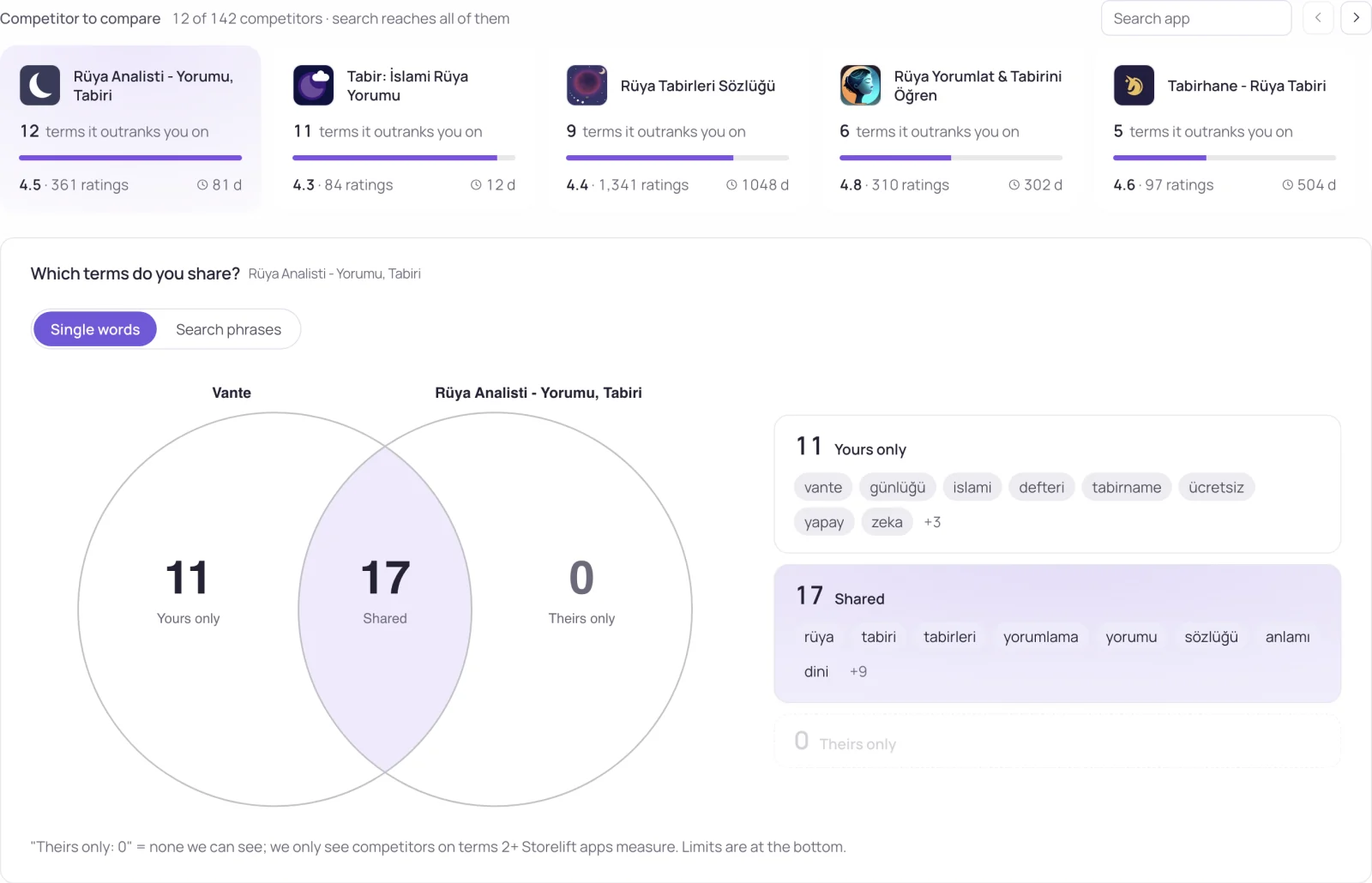
Localization usually lands on the to-do list as "get it translated." That closes one of two separate jobs. Text being readable in a language is one thing; the words in that text being what people in that market actually search is a different thing — one is a translation task, the other is research.
Two jobs, one word
"Localization" is one word covering two independent tasks. Text translation makes the description and screenshot captions read correctly and naturally in that language. Keyword research finds the term people in that market actually type — and the two often DON'T overlap: a term translated directly from English can be a word nobody searches in the target language.
How many languages you can actually target
| App Store | Google Play | |
|---|---|---|
| Manually entered metadata language | 50 languages and locales | Whatever list Play Console supports |
| What shows in an untranslated language | A rendering that depends on the customer's store language, device language, and your primary language — not one fixed fallback order | Users can see a machine translation, labeled as auto-generated |
| Does auto-translation always run | No — metadata only shows in the language(s) you entered | Not in 4 languages (Armenian, Raeto-Romance, Tagalog, Zulu), where auto-translation isn't available |
The fallback trap in a market you left blank
Every country you sell in doesn't need its own metadata row — but the gap is silent: a customer in that market sees your listing in whatever language the fallback resolves to, or a machine translation, and conversion follows that text, not the text you actually wrote. Google Play at least labels it; App Store has no visible warning, since which language renders depends on the customer's own device settings.
- List every storefront you sell in and mark which ones have manually entered metadata versus which are falling back.
- For a high-volume market that's currently falling back, manually written metadata is usually worth the effort before more auto-translated markets — auto-translation doesn't do keyword research.
- For the country-to-language mapping behind each storefront, see App Store storefront country codes.
An ASO localization process that includes keyword research
- Map storefronts to languages. List the storefronts you sell in and the language each one reads by default. Of the 175 storefronts we measure, en-GB is the default in 85 and es-MX in 17 — see App Store storefront country codes.
- Collect candidate terms per market, not per translation. Type the translated term into that storefront's search and keep the variants people search there; drop the ones with no search demand.
- Write the fields per locale. Name, subtitle and the 100-character keyword field on iOS; title, short and long description on Play. Don't repeat a word across iOS fields — they are combined when matching.
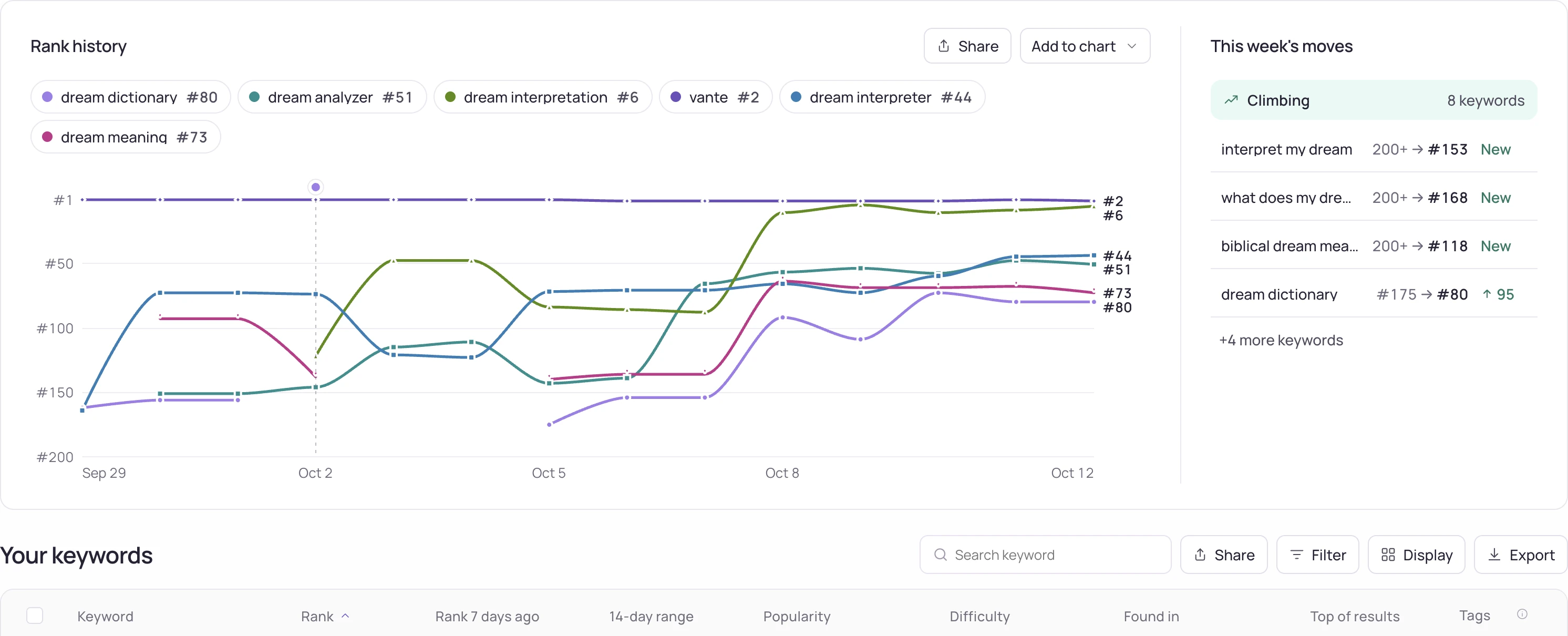
- Measure rank per storefront before and after. A localized listing is only a result if the rank in that storefront moves; see rank tracking.
Localization and the second indexed locale
In several storefronts the App Store indexes a second locale's keyword field alongside the first — in the Turkish storefront, that second locale is en-GB. An app that fills only its main language leaves that second field empty. The details are on the keyword field page; Storelift measures which slots are empty per storefront in localization.
Frequently asked
Does translating into a language guarantee ranking in that language?
No. Translation makes the text readable; ranking depends on whether the field contains the term people in that market actually search. Those are separate steps — one is grammar, the other is keyword research.
Can I rely on Google Play's auto-translation instead of localizing by hand?
You can, but the customer sees a label marking it as machine-translated, and machine translation doesn't do keyword selection — it's a literal rendering of your source text, not copy optimized for how people search in that language.
Do I need to fill in all 50 App Store languages?
No. Starting with the markets you actually sell in, in order of volume, produces more impact for less work — manually writing metadata for a low-volume storefront usually isn't worth the effort.
What is ASO localization?
Adapting your store listing — name, subtitle, keyword field, descriptions and screenshots — to each market. It has two parts: translating the text so it reads naturally, and researching which terms people in that market actually search. The second part is where rank comes from.
Which languages should I localize my App Store listing into first?
The ones that cover the most storefronts you sell in. Among the 175 storefronts we measure, en-GB is the default search language in 85, es-MX in 17 and ar-SA in 11; each has its own page, e.g. en-GB.
Is ASO localization the same as app localization?
No. App localization translates the app's interface; ASO localization changes the store listing and its keywords. An app can be fully translated and still rank for nothing in that market if the listing carries literal translations nobody searches.
See this for your own app
Paste your store link, add your keywords. Rank, the apps above you and demand are measured every day.
Free plan: 1 app, 25 keywords in each of 2 storefronts, 30 days of history, no card, no end date. Pro is $20/mo.
Start free →