What can I ask an ASO MCP server?
Anything the measurement already holds for the apps and storefronts you track. The assistant picks the tool; the table shows which one answers which kind of question.
| You ask | Tools it calls | What comes back |
|---|---|---|
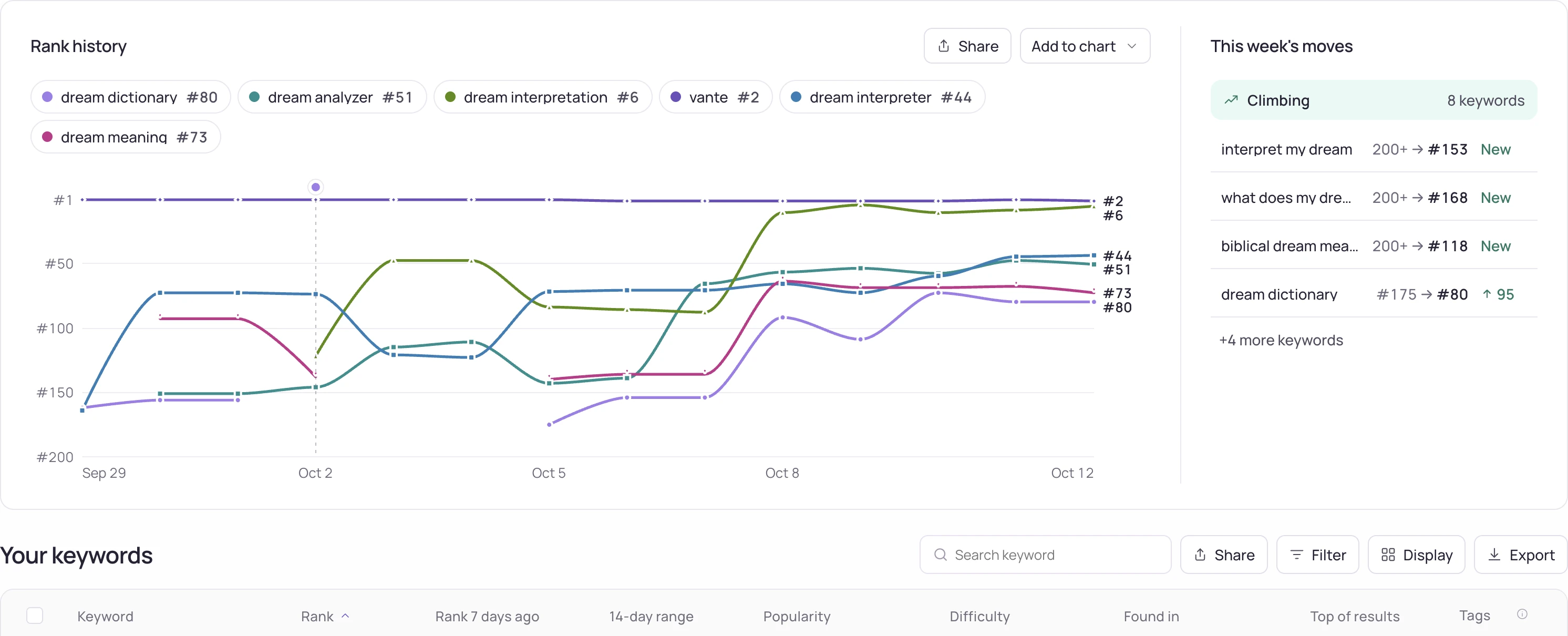
| “Which of my keywords dropped in the US this week?” | get_keywords, get_history | Current rank per term and the daily series, with unmeasured days kept apart from days you were absent |
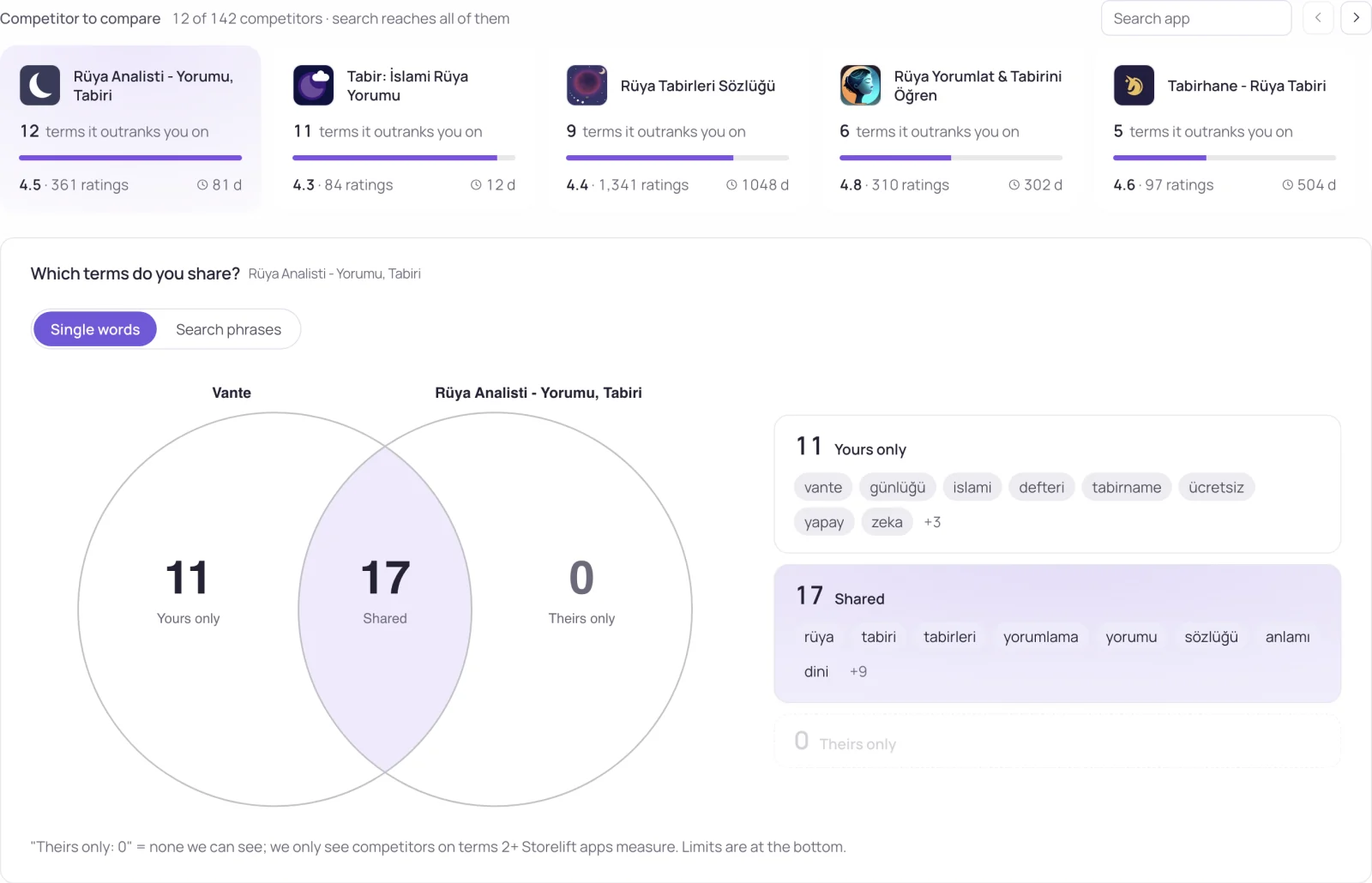
| “Who ranks above me on my main keyword?” | get_rivals | The apps above you, their rank and yours on each term, and their rating counts |
| “Did anything change on my listing before the drop?” | get_store_page | Dated changes: new version, new screenshots, in-app events, editorial placements |
| “What are users complaining about?” | get_reviews | Recent App Store and Google Play reviews and how many are new since the last measurement |
| “Where am I in my category chart in Japan?” | get_charts | App Store chart positions per list, with history |
| “Do AI assistants name my app?” | get_ai_visibility | Dated answers with your position in each; requires Pro, Studio or Enterprise |
| “Pause the campaign that spent the most yesterday.” | get_ads_campaigns, pause_campaign, confirm_action | A preview of the change; the campaign pauses after you confirm |
For a full review of one app in one pass, the free ASO audit skill tells Claude which of these tools to call, in which order, and how to report the result.
Setting it up
Add this to your MCP client's config — claude_desktop_config.json for Claude Desktop. The API key comes from your Storelift settings.
{
  "mcpServers": {
    "storelift": {
      "command": "npx",
      "args": ["-y", "storelift-mcp"],
      "env": { "STORELIFT_API_KEY": "sl_live_..." }
    }
  }
}
In Claude Code it is one line:
claude mcp add storelift -e STORELIFT_API_KEY=sl_live_... -- npx -y storelift-mcpThere is also a hosted endpoint, with nothing to install: https://storelift.net/mcp over Streamable HTTP. It serves the same tools and works from CI or a cloud agent.
Adding it to Claude.ai as a connector
The hosted endpoint supports MCP sign-in (OAuth), so there is no key to copy. In Claude.ai, open Customize → Connectors, click +, choose Add custom connector and paste https://storelift.net/mcp (on Team and Enterprise an owner adds it under Organization settings → Connectors, then members click Connect). Claude sends you to a Storelift page that names the app asking and the address you will return to; sign in if needed and choose Allow.
The connection reads the same data as an API key, and every change it proposes stays a preview until you approve it. It appears in Storelift under Settings → API → Connected apps, where removing it cuts access on the next request.
Claude Code signs in the same way. Add the endpoint without a header, then run /mcp inside Claude Code to authenticate:
claude mcp add --transport http storelift https://storelift.net/mcpClients that let you set a header can use an API key instead:
claude mcp add --transport http storelift https://storelift.net/mcp --header "Authorization: Bearer sl_live_..."Step-by-step guides per client
Each guide covers the version, requirements, setup, a first read, removing access and the error replies you may see.
Once connected, three first tasks show what to ask and the answer to expect: rank change over a week, who is ahead on the keywords that fell, and a keyword with no measurement today.
How the local server works
The server is a single file and talks JSON-RPC over stdio with no dependencies, so npx fetches it on first run and there is nothing to keep updated. It is registered in the MCP registry as net.storelift/storelift.
What the 85 tools do
Every tool, with what it returns, is in the tool directory. Read tools read the same measurement the dashboard shows; write tools return a preview first.
Questions to try first
Each of these is answered by the tools above, from your own tracked data. The tool names are there so you can see what the assistant calls.
- “Which of my US keywords lost ground this week, and who is above me on them now?” —
get_keywords,get_history,get_rivals - “Which apps rank above me on my main keyword, and what do their names have in common?” —
get_rivals,get_store_page - “Summarise my recent reviews that mention a crash or a bug.” —
get_reviews - “Where does my app sit in its category chart in Turkey?” —
get_charts - “Do assistants name my app when asked about my category?” —
get_ai_visibility,run_ai_visibility_check, which reads dated samples of AI assistant answers, not what every user sees; these MCP tools require the ai:read scope. A new run uses the workspace's available AI visibility allowance. - “Walk me through this week's ASO review: what should I work on first, which keywords moved, and who is ahead of me on them?” —
get_weekly_plan,get_keywords,get_rivals
The server also publishes these 6 questions as MCP prompts, so a client that lists prompts offers them ready to run.
Why an MCP server rather than a plain API
There is a plain REST API too, and for a script that is the right thing. MCP earns its place when the reader is an assistant rather than a program: the tools carry their own descriptions, so the assistant picks the right call and the right parameters without you writing the integration.
The practical difference is what you can ask. “Which keywords did I lose ground on since the last release, and who took the position” is three calls and a join in a script; in an MCP client it is one sentence.
What the MCP server writes
20 tools change something, and each runs in two steps: the first call returns a preview of what would change and a confirm token, and nothing is written until the assistant sends the token back. An API key writes only when it carries a write scope.
add_app,add_keywords,remove_keywords,add_rivals,remove_rivals— your tracking setup. A term added today gets its first rank in the next measurement.reply_review— a developer reply on an App Store review, through your App Store Connect key.update_listing— the listing text of an editable App Store version, through your App Store Connect key.pause_campaign,resume_campaign,set_daily_budget— Apple Ads campaigns; one budget step moves at most 50%, within a daily action allowance.create_share_link— a public view link to one storefront's dashboard.export_data— one app's keywords, rank history or reviews as a CSV or JSON file, through a download link valid for 7 days.mark_alerts_read,create_alert_rule,delete_alert_rule— the alert feed and the rules behind it: which change alerts you, and on which channel.
Frequently asked
Do I need an API key for the Storelift MCP server?
For the local npx server, yes — the key comes from Storelift settings and is issued on Pro and above, or with a credit pack. The hosted endpoint at https://storelift.net/mcp supports MCP sign-in (OAuth) on every plan, so Claude.ai and Claude Code connect without copying a key.
Can the MCP server change anything in my account?
Yes, after you confirm it. The write tools — tracked apps, keywords and rivals, review replies, share links, Apple Ads status and budgets, listing text — first return a preview with the before and after, and the change runs at the confirm step. An API key writes through the write scopes you tick when you create it; they start unchecked. Text inside reviews or competitor listings is read as data, never as your approval. A connection made through sign-in appears under Settings → API → Connected apps, where removing it cuts access on the next request.
Does the MCP server return my competitors' keyword fields?
The iOS keyword field stays private to each developer: Apple publishes it for no app, so no tool reads it from the store. For a competitor, get_rivals returns every app ranking above you, the keywords it beats you on and both positions; get_store_page returns your own listing signals as the store serves them — version, screenshots, in-app events and dated changes.
What is an ASO MCP server?
A Model Context Protocol server that exposes app store optimization data — keyword ranks, rivals, reviews, charts, listing changes — as tools an AI assistant can call. The assistant asks the server instead of you pasting numbers into the chat.
How do I add the Storelift MCP server to Claude Code?
Run claude mcp add --transport http storelift https://storelift.net/mcp and sign in with /mcp, or use the npm package with an API key: claude mcp add storelift -e STORELIFT_API_KEY=sl_live_... -- npx -y storelift-mcp.
How do I add it to Claude Desktop?
Add a storelift entry to claude_desktop_config.json that runs npx -y storelift-mcp with STORELIFT_API_KEY in its environment, as shown in the setup section above. In Claude.ai you can add https://storelift.net/mcp as a custom connector instead.
Does it cover Google Play as well as the App Store?
Yes, for keyword ranks, rivals, the store page and reviews. Charts cover the App Store only.
Is there a ready-made ASO audit for this MCP server?
Yes. The free ASO audit skill is a SKILL.md file for Claude that calls these tools in order and writes a per-storefront report of what passed, what needs fixing and what to review by hand.
See this for your own app
Paste your store link, add your keywords. Rank, the apps above you and demand are measured every day.
Free plan: 1 app, 25 keywords in each of 2 storefronts, 30 days of history, no card, no end date. Pro is $20/mo.
Start free →