Most ASO checklists are a list of fields to fill in. This one adds the two steps people skip: measuring before you change anything, and measuring after — without those two, you can't tell if the change did anything at all.
Before you touch metadata
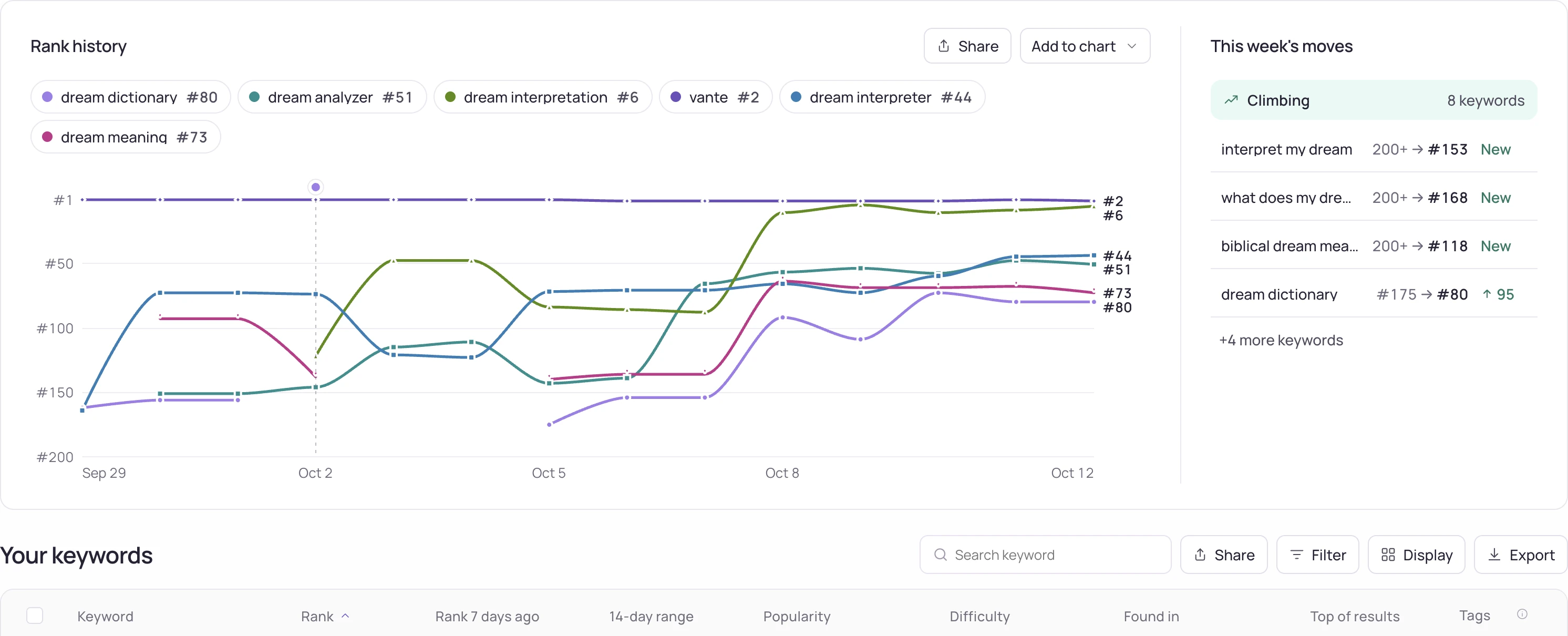
Write down your current rank for the keywords you care about, in every country you sell in, before you change a single field. Without a baseline, a rank change after the fact could be your metadata, a competitor's update, or nothing but daily noise — you have no way to tell them apart.
- Record today's rank for your top 10-15 keywords, per storefront.
- Note who ranks above you on each keyword — rating count and score, not just the name.
- Screenshot your current listing (icon, screenshots, description) so you know what you're changing from.
Metadata, field by field
| Field | App Store (iOS) | Google Play |
|---|---|---|
| App name | 30 chars, indexed | 30 chars, indexed |
| Subtitle / short description | 30 chars, indexed | 80 chars, indexed |
| Keyword field | 100 chars, invisible, indexed | Not applicable |
| Long description | Not indexed | 4,000 chars, indexed |
- Pick terms people actually search — check search demand for each candidate before committing a field to it.
- Protect the app name for brand; spend the subtitle and short description on search terms, not the name.
- Write the long description for humans, not the index — Apple doesn't read it for search, and stuffing keywords into a field nobody reads only hurts conversion.
Icon and screenshots
Metadata gets you into search results; the icon and first screenshot decide whether someone taps through. Your own A/B test measures the conversion effect; this checklist collects what you can check right away, without one:
- First screenshot communicates the app's core value with no text required to understand it.
- Icon is legible at the smallest size it actually renders at (a store search row, not a full-screen mockup).
- Localized screenshots exist for every storefront with meaningfully different language, not just a translated caption on the same image.
Ratings and reviews
Rating count and score are part of what the store — and the person searching — weighs alongside rank. They're also slow to move, so they belong in the checklist as an ongoing practice, not a one-time task.
- Prompt for a rating after a moment of clear value, not on first launch.
- Reply to negative reviews when the store allows it — a visible, specific reply changes how the review reads to the next person, even if the score doesn't move.
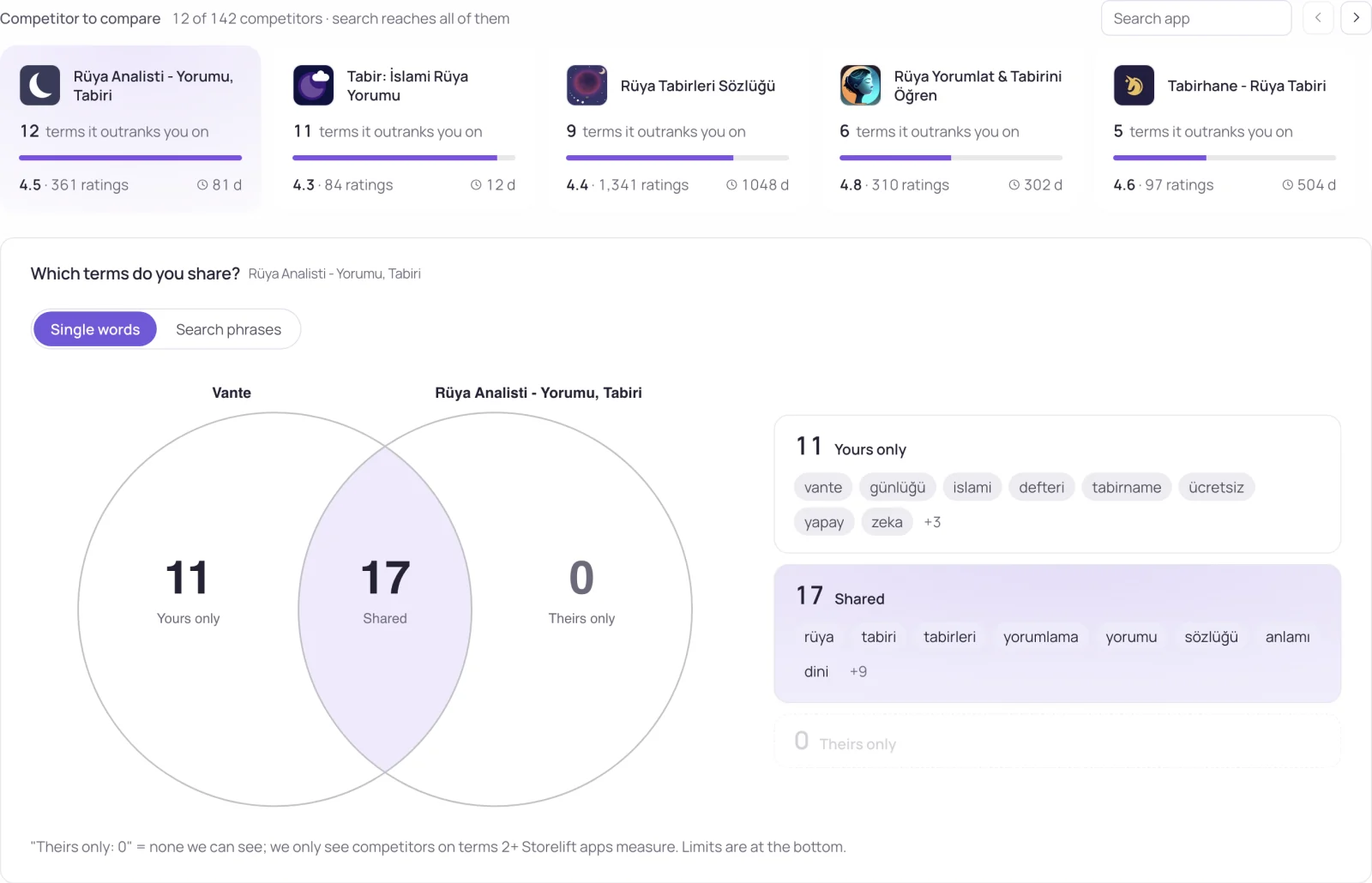
- The number beside a term is its ratings wall: it shows how established the apps you would compete with on that term are. Use it to compare terms; it does not tell you how many ratings you need or guarantee a rank.
After you ship
Metadata changes typically start showing in rank within a few days. Re-run the same keyword list, in the same countries, on a fixed schedule — and compare against the baseline you recorded before the change, not against a guess of what "should" have happened.
ASO audit checklist: the short version
Use this to audit a live listing in one pass. Every line is something you can check, not a matter of taste:
- Today's rank is recorded for your top 10-15 keywords, per storefront you sell in.
- iOS: name and subtitle within 30 characters each; the keyword field uses its 100 characters with no word repeated from the name or subtitle and no spaces after commas (keyword field rules).
- Google Play: title 30, short description 80, long description 4,000 characters, with terms inside real sentences.
- Every target term shows search demand in that storefront.
- Every storefront you sell in has manually written metadata, not a fallback language (ASO localization).
- The first screenshot states the core value without needing its caption; the icon reads at search-row size.
- You know the rating count of the apps above you on each target keyword (how many reviews to rank).
- After shipping, the same keywords are re-measured in the same storefronts on a fixed schedule and compared to the baseline.
How hard a keyword is to reach is covered in the glossary under keyword difficulty.
Frequently asked
How often should I redo this checklist?
There's no fixed cadence that's right for every app. A practical trigger is: after any metadata change (to measure the effect), and on a fixed review cycle (monthly is common) to catch rank drift that wasn't caused by you.
Does following this checklist guarantee a rank improvement?
No. It removes the common ways ASO work gets undermined — no baseline, wasted keyword-field characters, no localization, no after-check — but rank also depends on competitors' own changes and store algorithm shifts outside your control.
Do I need different checklists for App Store and Google Play?
The steps are the same; the fields differ. iOS has a separate invisible keyword field Android doesn't have; Android indexes the long description, iOS doesn't. The table above is the field-level difference to keep straight.
What is an ASO audit?
A review of a live store listing against a fixed checklist — metadata fields, keywords, screenshots, ratings — together with a recorded baseline of today's ranks, so that any change you make afterwards can be measured against it.
What should an ASO audit checklist include?
A rank baseline per storefront, each metadata field against its character limit, keyword demand checked per storefront, localized metadata for every market you sell in, screenshot and icon checks, the rating counts of the apps above you, and a re-measurement after you ship.
Can I audit a competitor's app with this checklist?
The visible parts, yes: name, subtitle, screenshots, descriptions, rating count and their rank on your keywords. The iOS keyword field is not public — Apple does not publish it — so that line can only be checked for your own app.
See this for your own app
Paste your store link, add your keywords. Rank, the apps above you and demand are measured every day.
Free plan: 1 app, 25 keywords in each of 2 storefronts, 30 days of history, no card, no end date. Pro is $20/mo.
Start free →