Base address and authentication
The base is https://storelift.net/v1. Create a key under Settings → API; it is shown once and stored only as a hash, so a lost key is replaced rather than recovered.
Send it as x-api-key, or as a bearer token if your client only does Authorization headers:
curl -s https://storelift.net/v1/apps \
-H "x-api-key: sl_live_..."The 33 endpoints
| Endpoint | What it returns |
|---|---|
GET /v1/apps | The apps this account tracks. Every other call starts here — the id comes from this one. |
GET | One app plus the latest run's snapshot. |
GET | Editorial cards, In-App Events and Apple's You Might Also Like shelf per country, with the dated history of featurings and new events. dedicated tells a story about the app from a collection it sits in. |
GET | Current rank per tracked keyword in one storefront, with the measurement state and the depth searched. |
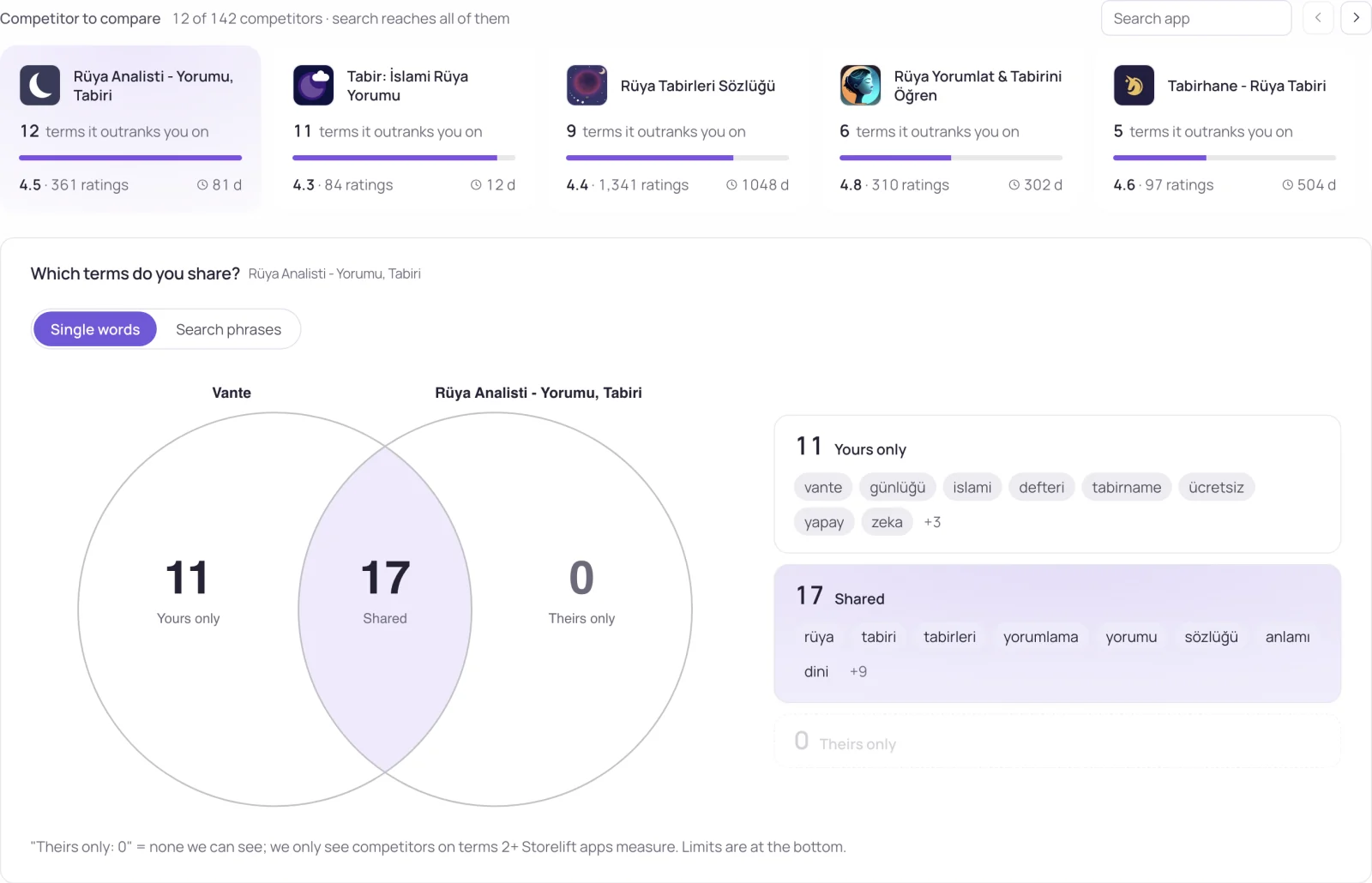
GET | The apps standing above you, each with the terms they beat you on and both positions. |
GET | Whether an assistant names your app for your category, with the stored series. Requires Pro, Studio or Enterprise. |
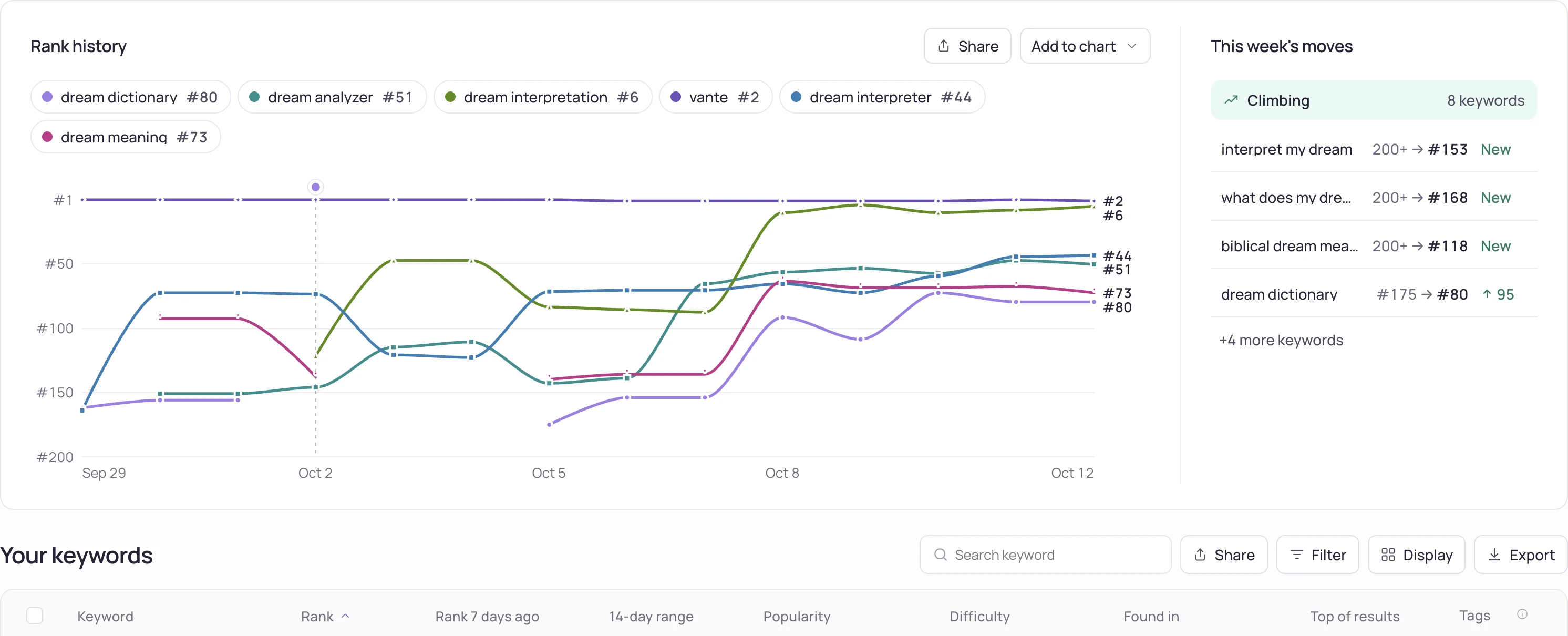
GET | The rank series per keyword, trimmed to the plan's history window. |
GET | Your own listing as the store serves it, both platforms, plus the dated changes detected on it. |
GET | Recent reviews with the star summary, the count new in this run, and the Play side when measured. /reviews/search searches the full archive by text, stars, version and dates; /reviews/stats gives the distribution, the daily curve and the per-version breakdown. |
GET | Dated listing changes — version, screenshots, events, featuring, keyword-field edits — each with the keyword rank movement around it. |
GET | Top-chart position for the app's genre and storefront, with the series. |
GET | Revenue and downloads for the app from the connected sources: App Store Connect units, Google Play installs, RevenueCat MRR, subscriptions and trials. connected:false when nothing is connected. Scope revenue:read. |
GET | Subscription event counts from the RevenueCat / Adapty webhook, per day, country and monthly cohort. Scope revenue:read. |
GET | App Store impressions → product page views → downloads: today's point and the day-by-day history from App Store Connect analytics. Scope revenue:read. |
GET | Prices in force per product and country and every fixed-price period with its trials, paid starts and revenue, plus offer codes, from the RevenueCat / Adapty webhook. Scope revenue:read. |
GET | Apple Ads campaigns promoting the app (matched by App Store id): spend, taps, installs, budget and status, plus the top keywords and search terms. Scope ads:read. |
Endpoints below /apps/{id} take country (a storefront code such as us, defaulting to the app's first) and, where both stores are measured, platform=ios|android.
The three measurement states survive the boundary
This is the part worth reading before you write the integration. A rank field can be a number, but the absence of a number is two different things and the API keeps them apart:
measured: true,rank: 7— the app was found at position 7.measured: true,rank: null— the search ran and the app was not in the results down tosearchDepth.measured: false— the search could not be run that day. Nothing is known about the position.
{
  "country": "de",
  "platform": "ios",
  "live": true,
  "measuredAt": "2026-09-19T02:14:08.921Z",
  "keywords": [
    { "term": "traumdeutung", "measured": true,  "rank": 7,    "demand": 6, "searchDepth": 200 },
    { "term": "traumsymbole", "measured": true,  "rank": null, "demand": 3, "searchDepth": 200 },
    { "term": "traumtagebuch", "measured": false, "rank": null, "demand": null, "searchDepth": null }
  ]
}
Folding the last two into a zero would describe a collapse that never happened, and every average built on top of it would be wrong. If your code needs one number, treat measured: false as a gap in the series, not as a value.
Account, usage and search
Four endpoints about the key itself and the account's own records. The first two cost nothing, so a script can check what it may read and how much is left before it starts. search and fetch follow the shape ChatGPT expects from a deep-research connector: a query returns ids, an id returns the record.
| Endpoint | What it returns |
|---|---|
GET /v1/account | Who the key belongs to: plan, authentication method, scopes, readable apps, credit balance. 0 credits. |
GET /v1/usage | Every quota with used / limit / reset, today's Hive allowance and the per-second rate. 0 credits. |
GET | Search your own apps, tracked keywords and rivals; returns ids for /v1/fetch (ChatGPT deep-research shape). |
GET | The full record behind a search id: app card, one keyword with history, or one rival with the terms it beats you on. |
Hive: any app, any market
The endpoints above read your own tracked apps. Hive endpoints read what the whole network measures — charts, any app's daily measure, keyword result lists, a rival's keywords and any app's revenue and downloads. They need their own scope on the key and cost more credits per call; each plan also has a daily Hive allowance so a month of credits lasts a month.
| Endpoint | What it returns | Scope |
|---|---|---|
GET | A storefront's Top Free, Top Grossing or iPad list (100 deep) as of its latest day. | hive:read |
GET | Any app's latest daily measure: ratings, rating, version, price, star distribution, category badge, plus supported languages, upcoming in-app events, promotional text and featured in-app purchases. | hive:read |
GET | Who ranked for a keyword, day by day (1,000 rows per call). | hive:read |
GET | The keywords a rival ranks for — same privacy filter and monthly spy allowance as the dashboard. | hive:spy |
GET | Monthly revenue and downloads of any App Store app, worldwide (202 while the first read runs). | hive:estimate |
GET | Who climbed, who fell, who entered and who left one top chart, against the same chart N days ago. Every delta is drawn between two measured days, and the answer names both of them. | hive:read |
GET | Apps seen on a top chart for the first time, newest first. The answer carries how many of those days the index covers, so every first-seen date is a day we indexed. | hive:read |
GET | Find apps across the charts we measure: filter by category, storefront, chart (Top Grossing, Top Free, Top Paid, Top iPad), rank band, first-seen date, name or publisher. Every row carries the app's revenue and downloads. | hive:read |
GET | Keyword gap for up to five apps side by side: which term each one ranks for and which it misses. Hive Explorer. Same privacy filter as spy, and each app carries its own measurement state so every cell in the table is a measured fact. | hive:spy |
GET | Every app of one publisher that Hive has seen, with the day each was first charted. | hive:read |
GET | Any app's id from a name, developer, store link, App Store id or package name. Names go through the App Store search in that storefront. | hive:read |
GET | The store's similar-apps shelf for any app, in shelf order, with each app's category and name and the day the shelf was read. | hive:read |
GET | Any app's recent reviews in one storefront with the star distribution; reviewer names left out. | hive:read |
Nothing personal crosses this line: review authors never appear, and a rival's keyword only shows when at least two other accounts track it or you do.
Try it without a key
Every path also exists under /v1/sandbox/ with no key at all: the same shapes, a fixed two-app dataset, dates that move with yesterday. Responses carry x-sandbox: true. For CI you can create a test key (sl_test_) in Settings — it answers only from the sandbox, spends no credits and works on every plan, so a leaked test key exposes nothing.
curl -s https://storelift.net/v1/sandbox/apps
curl -s 'https://storelift.net/v1/sandbox/hive/keywords/sleep%20sounds/ranks?country=us&days=3&top=10'
How writes and scopes work
- Every write is previewed first. Reads are
GET.POST /v1/actionsreturns the before/after diff, the credit cost and a single-use token, changing nothing;POST /v1/actions/confirmapplies it. The token is bound to the action, the arguments and the target's state at preview time, so if the target moved in between the confirm returnsconfirm_token_mismatchwith the new diff and writes nothing. The actions cover keywords, rivals, apps, share links and review replies (Pro and above), and on Studio listing text on an editable App Store version and Apple Ads pause, resume and daily budget. The full list is in the reference. - Write scopes are opt-in. Each write needs its scope (
track:write,reports:write,reviews:write,ads:write,listing:write); they start unchecked when a key is created. Test keys answer from the sandbox and leave your data as it is. Billing stays in your account settings. - Read the returned observation date and state. A response can contain a retained measurement, verified absence, pending work or an error. Repeating a request does not make an older observation new.
- The revenue layer is behind its own scopes. The ten growth endpoints (
revenue,subscriptions,funnel,pricing,change-impact,campaigns,ads-keywords,ads-search-terms,ads-commands,search-popularity) answer to a key created with the sensitiverevenue:read/ads:readscopes, so a key opens revenue data only when you choose it. GA4 lives in the dashboard. - History follows the plan.
historyandchartsboth use the plan's window, so the same key reaches exactly as far through either endpoint.
Errors
| Status | error | When |
|---|---|---|
| 400 | key_in_url | The key was sent in the URL, where logs and proxies keep it. Send it in the x-api-key header and rotate it; the workspace admins get one email per key. |
| 401 | missing_api_key | No key in the request. |
| 401 | invalid_api_key | The key is unknown or was revoked. |
| 401 | account_deleted | The account behind the key is gone. |
| 403 | plan_required | The plan does not include API access. The response carries the current plan. |
| 405 | method_not_allowed | Reads are GET; POST is taken on /v1/actions, /v1 and /v1 (the draft travels in the body). |
| 400 | unknown_action | The action name is not in the catalog; the response lists the ones that are. |
| 400 | invalid_arguments | An argument is missing or malformed; the response names the field. |
| 409 | confirm_token_expired | The token is older than 10 minutes. Preview again. |
| 409 | confirm_token_mismatch | The target changed after the preview; the response carries the new diff. |
| 403 | write_limit_reached | The write is outside the guardrails (budget step, daily Apple Ads actions, daily writes: 200 tracking / 50 review replies). |
| 403 | test_key_read_only | Test keys never write. |
| 404 | job_not_found | No job with that id in this workspace. |
| 403 | workspace_suspended | The workspace is suspended; support can say why. |
| 403 | ip_list_required | This workspace requires every key to carry an IP allow list. |
| 404 | not_found | That app id is not in this account. |
| 404 | unknown_endpoint | No such path under /v1. |
| 402 | credits_exhausted | This month's credits are used up; the response links to the credit pack. |
| 429 | rate_limited | Too many requests for this key; wait for the Retry-After seconds. |
| 429 | daily_hive_limit | Today's Hive allowance for the plan is used up; resets at 00:00 UTC. |
| 404 | not_measured | No verified observation is available for the requested app, keyword or scope. Missing data is not zero. Check the request parameters and follow the linked documentation for available actions. |
| 400 | bad_query | /v1/search needs q of 1–120 characters. |
| 400 | bad_id | /v1/fetch needs an id exactly as /v1/search returned it. |
| 403 | asc_required | update_listing needs a connected App Store Connect key. |
| 403 | asc_role | The App Store Connect key needs the Admin or App Manager role to edit metadata. |
| 409 | no_editable_version | No App Store version is editable; the response lists the current version states. |
| 404 | locale_not_found | That storefront language is not on the version; the response lists the ones that are. |
| 409 | changed_since_preview | The listing changed in App Store Connect after the preview; nothing was written. |
| 422 | asc_rejected | App Store Connect refused the change; its own message is in detail. |
| 409 | in_progress | A write for the same target is still running. |
| 403 | ip_not_allowed | The key has an IP allow list and this request came from elsewhere. |
| 401 | key_leaked | The key was found in a public repository and revoked automatically; create a new one. |
Every error is JSON with an error field. plan_required also returns plan, so a client can say which plan the key is on rather than guessing.
Frequently asked
Is there a rate limit?
Yes, per key: requests per second by plan (429 with Retry-After), a monthly credit allowance shown in the x-credits-* headers, and a daily Hive allowance. Each call also updates a usage counter on the key so you can see in Settings whether an old key is still in use.
Can I use it on the free plan?
Live keys for the API start at Pro. The keyless sandbox and test keys work on every plan, the remote MCP server starts on Pro too, the free tools on this site need no account at all, and the free plan measures one app daily.
API or MCP server?
A script wants the API: fixed shapes, one call, no model in the loop. An assistant wants the MCP server, because the tools carry their own descriptions and it can pick the right call without you writing the integration. Both work on the same measurements, and both write through the same preview-then-confirm step.
See this for your own app
Paste your store link, add your keywords. Rank, the apps above you and demand are measured every day.
Free plan: 1 app, 10 keywords in each of 2 storefronts, 14 days of history, no card, no end date. Pro is $29/mo.
Start free →