iPhone app
Your App Store ranks, on your iPhone
App Rank Tracker by Storelift is the iPhone app for your Storelift account. Check ranks, competitors and new keywords wherever you are.

Free download · iPhone · iOS 15 or later
In the app
What you can check from your phone
Each keyword, up close
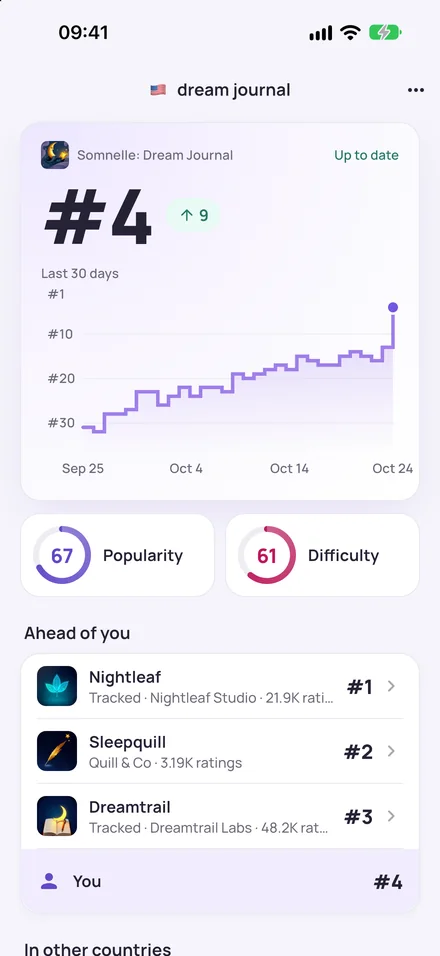
Open a keyword to see today's rank, how it moved over the past weeks, its popularity and difficulty, and the apps ranked above you.
Every country side by side
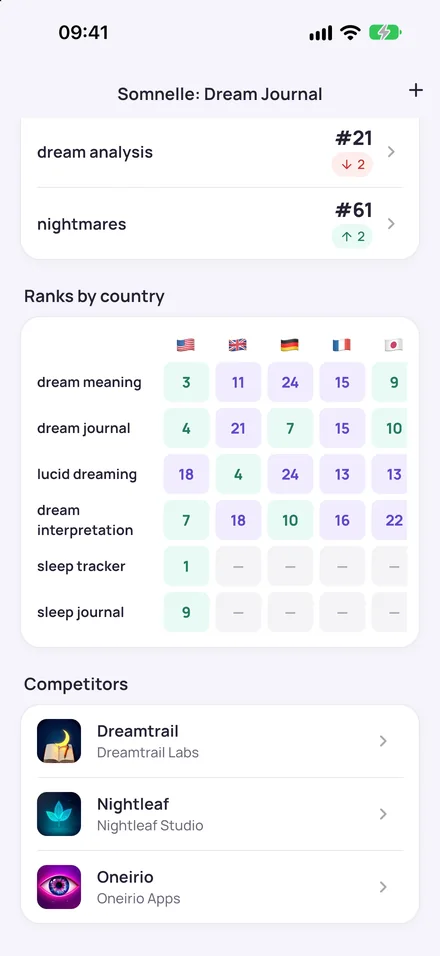
One grid shows each keyword's rank in every country you track, so a drop in one store stands out right away.
See where competitors beat you
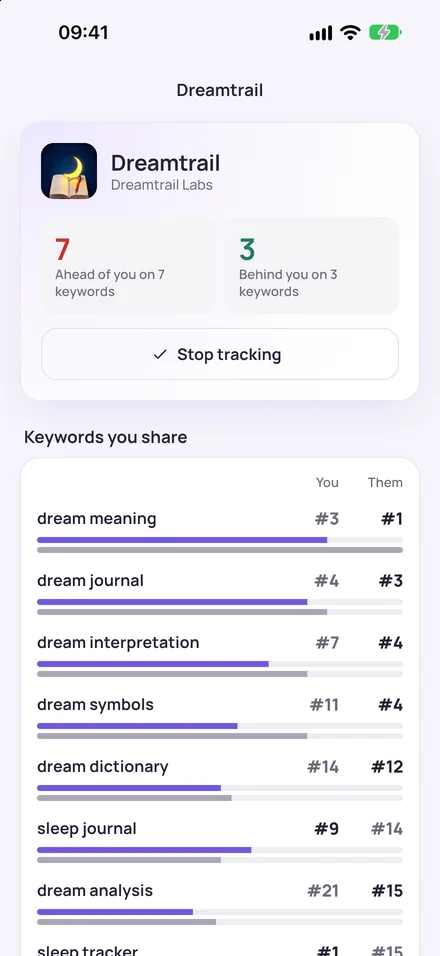
Open a competitor to see the keywords you share, who ranks higher on each one, and how many keywords they lead you on.
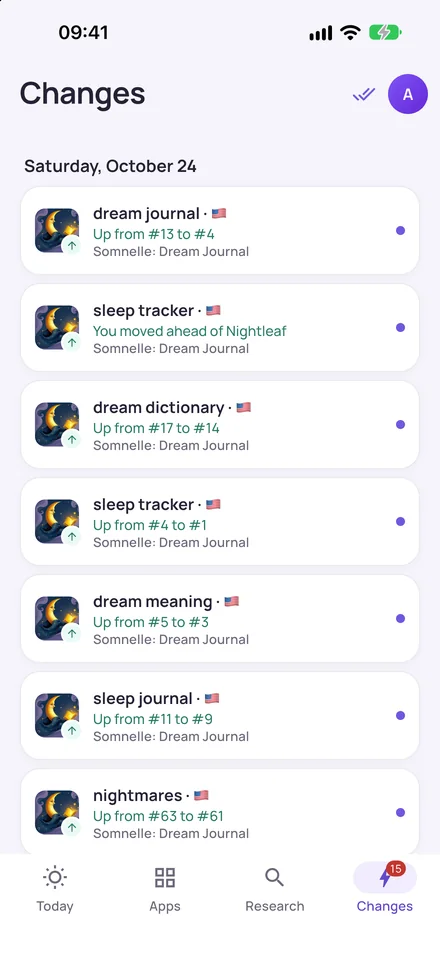
Every move in one list
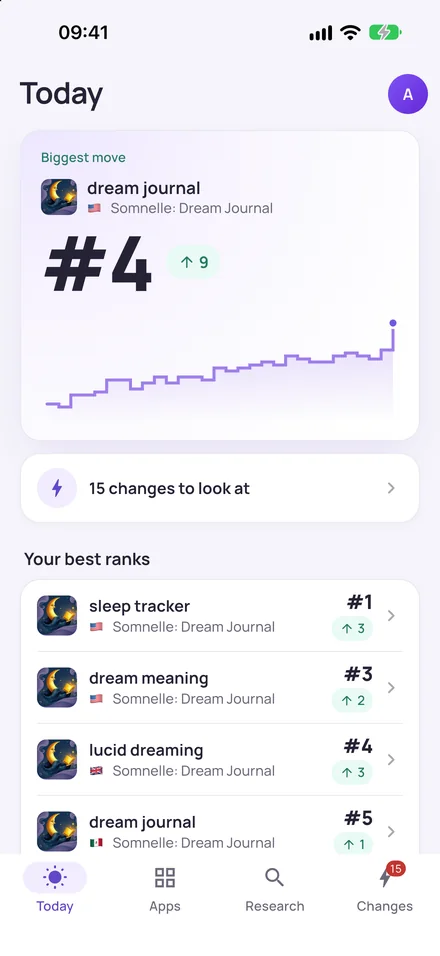
Rises, drops and competitors passing you collect in Changes, so you see what moved since you last looked. On every plan, Free included, your iPhone also gets a notification when a tracked rank moves a lot.
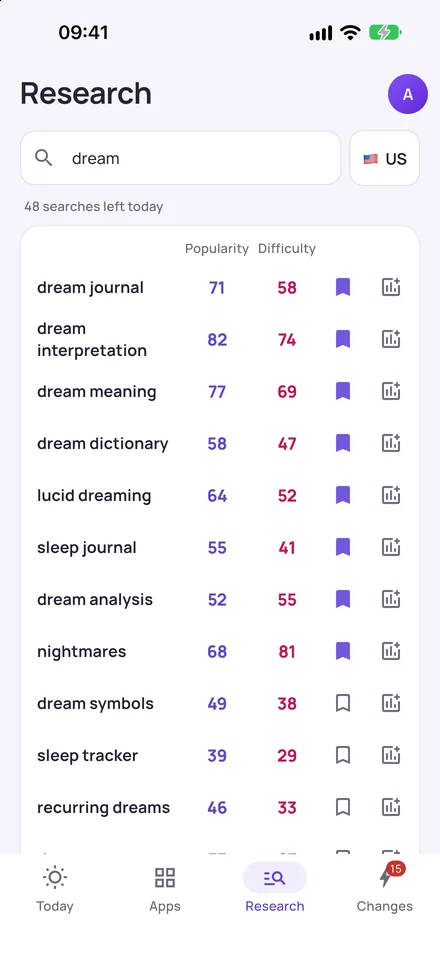
Find keywords on the go
Search a word to see related keywords with their popularity and difficulty. Save the good ones, or start tracking them for your app.
Same account
One account for the web and your iPhone
Sign in the way you already do
Continue with Apple, Google or email. Use the same sign-in as on the web and your workspace opens just as you left it.
Your plan works in both places
A plan you pay for on the web works in the app, and a subscription you start in the app works on the web. Billing stays where you started it.
Apps and keywords stay in sync
Tracked apps, keywords, competitors and saved research are the same on both. Add a keyword on your phone and it's in the browser too.
FAQ
Questions about the iPhone app
Is the iPhone app free?
Yes. The download is free and the Free plan works in the app: one app, two countries and 30 days of rank history. Pro is $20 a month or $200 a year; Studio is $60 a month or $600 a year. Pro monthly bought in the app can start with a 7-day free trial on accounts that haven't had a Storelift trial before. The App Store shows the price in your country's currency.
Does my web plan work in the app?
Yes. Sign in with the same account and the app opens your workspace with your plan, apps and keywords. If you pay on the web, billing stays there and there's nothing to buy in the app. A subscription bought in the app works on the web as well.
How do I delete my account?
In the app, open Account, tap Delete account and type your email to confirm. This deletes your Storelift account with its apps, rank history and saved research, on iPhone and on the web; everything is removed within 30 days. Deleting doesn't cancel an App Store subscription, so cancel it first under Manage subscription. Without the app, email hello@storelift.net from the address on your account.
Which countries and languages does it cover?
The app is available in more than 40 languages and follows your iPhone's language. It shows App Store ranks in the countries your plan covers: two on Free, every App Store country on Pro and Studio.
What do I need to use it?
An iPhone with iOS 15 or later and a Storelift account. If you don't have an account yet, you can create one in the app.
When does the app send notifications?
Only for big moves: when a tracked rank changes a lot or a competitor passes you. Notifications work on every plan, Free included, and the same changes also show up in Changes. You can turn notifications off at any time in your iPhone's Settings.
Take your ranks with you
Download App Rank Tracker by Storelift and sign in with your Storelift account.