Storelift › Features › App review monitoring
In the store
App review monitoring
A star average hides what you need to know. Read App Store and Google Play reviews in one list, see your most recent reviews next to your lifetime rating, and answer on the same screen.
Free plan: 1 app, 25 keywords in each of 2 storefronts, 30 days of history, no card, no end date. Pro is $20/mo.
What the screen shows
What you do with it
Catch a decline early
Your recent reviews turn before the lifetime average does. A wave of 1★ reviews can also land in your alerts.
Set up alertsFind what people complain about
Topics and words show what keeps coming up, and how much of it sits in 1–2★ reviews.
Answer from the same screen
Write it yourself or start from a Review AI draft in the reviewer's language, then send it.
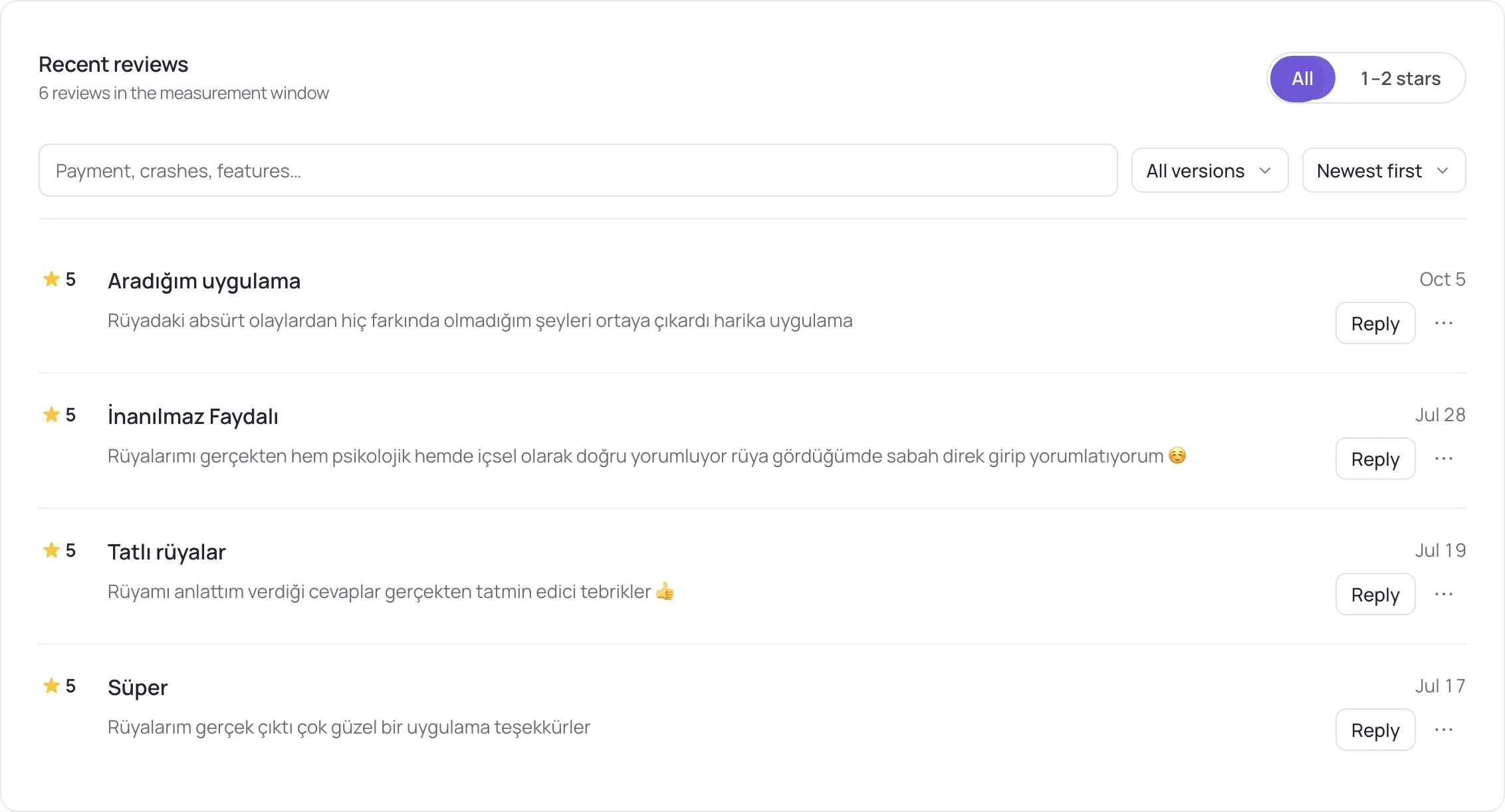
What the Reviews screen shows
| Part | What it tells you |
|---|---|
| Store rating | Your rating and rating count in that storefront, with the new ratings since the last reading. |
| Lifetime and recent | Two distributions side by side: every rating you ever got, and your most recent reviews with their own average. |
| 1–2★ share | How much of your recent reviews is one or two stars, next to the lifetime share. |
| Current version | The reviews written for the version people have now. |
| Topics | Review AI groups your recent reviews into topics. Pick a topic and the list shows only those reviews. |
| Words | The words that keep coming up, how many reviews use them and how many of those are 1–2★. |
| Review list | Filter by all, 1–2 stars, unanswered or not sent; search the text, pick a version, sort by newest or lowest. |
What each plan includes
| Free | Pro | Studio | |
|---|---|---|---|
| App Store and Google Play reviews | Yes | Yes | Yes |
| Storefronts | 2 | All 175 | All 175 |
| Review history kept | 30 days | 9 months | up to 18 months |
| Lifetime vs recent, topics and words | Yes | Yes | Yes |
| Review AI (summaries and reply drafts) | 10 a month | 100 a month | 300 a month |
| Reply to App Store reviews | Yes | Yes | Yes |
Pro is $20/month or $200 a year ($16.67/month), Studio $60/month or $600 a year ($50/month). Reviews and replies are on every plan, Free included. Replying needs your App Store Connect connection.
How it works
- Paste your app's store link. Reviews arrive for each storefront and each store, because a rating problem is usually one country, not the whole app.
- Compare recent with lifetime. The gap between them is the early warning: an average weighted by years of old votes moves weeks later.
- Open a keyword to see the rating counts of the apps above you, so you know how big the wall in that search is.
- The number beside a term is its ratings wall: it shows how established the apps you would compete with on that term are. Use it to compare terms; it does not tell you how many ratings you need or guarantee a rank.
- Reply where you read. On the App Store the reply goes out through the App Store Connect account you connect; on Google Play, Review AI writes a draft you copy.
Replying to reviews
Read it, draft it, send it, on one screen.
Replies work the same way on every plan:
- App Store: the reply goes out through your connected App Store Connect account. Its status stays on the review: queued, on its way, with Apple or not sent.
- Google Play: Review AI writes the draft in the reviewer's language and you copy it into Play Console.
- A reply is public and replaces any earlier reply to that review. It shows on the store once Apple has reviewed it.
- A draft only uses what you write in its note. It makes no promise on your behalf and claims no fix you didn't ship.
Updated:
Frequently asked
Do I need App Store Connect access to read my reviews here?
No. Paste your store link and your reviews show up, on every plan. Connect App Store Connect when you want to reply from Storelift.
Why show two distributions instead of one average?
Because the average lags. A lifetime average weighted by thousands of old votes barely moves when your recent reviews get worse; the two distributions side by side show it right away.
Can I reply to reviews from Storelift?
Yes, on every plan. On the App Store, Review AI drafts the reply in the reviewer's language, you edit it, and it goes out through your connected App Store Connect account. On Google Play you copy the draft into Play Console. An assistant can do the same through the MCP server: it shows the reply first and posts only after you confirm.
Do you cover Google Play apps here?
Yes. Google Play reviews sit in the same list, with their own lifetime distribution. Crash counts by version, next to each version's rating, are on the App health screen once you connect your store accounts.
How do I spot a rating drop before my average falls?
Compare your recent reviews with the lifetime distribution; the recent side turns first. Look at the 1–2★ share and at the reviews written for your current version, and set an alert for a wave of 1★ reviews.
Is there a free app review monitoring tool?
Yes. The free plan reads reviews in 2 storefronts with 30 days of history and 10 Review AI runs a month. Pro covers all 175 storefronts with 9 months of history; Studio keeps up to 18 months.
See this for your own app
Paste your store link, add your keywords. Rank, the apps above you and demand are measured every day.
Start free →Free plan: 1 app, 25 keywords in each of 2 storefronts, 30 days of history, no card, no end date. Pro is $20/mo.