Check all 50 App Store Connect languages at once
A free side panel for App Store Connect. Open your app and it checks every localization of your listing: character limits, rejection risks, keywords another language already covers and empty language slots.
Free · No sign-up · Chrome 116 or later
Three steps, no account
Add it to Chrome
Install Storelift from the Chrome Web Store. There's nothing to sign up for and no key to paste.
Open your app in App Store Connect
Sign in to App Store Connect as you always do and open the app you're working on.
Click the Storelift icon
The side panel opens next to App Store Connect and reads all 50 languages of the listing.
What the side panel checks
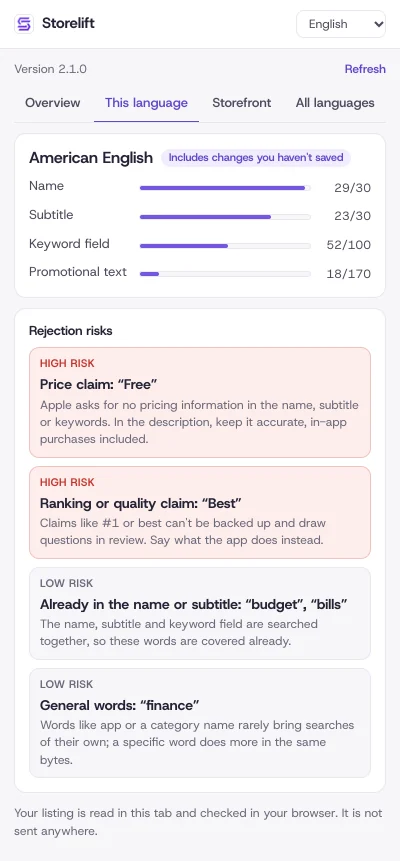
Rejection risks while you type
The language you're editing is checked as you type, unsaved changes included: price and ranking claims, other platforms, brand names, kids terms and placeholder text. Name 30, subtitle 30, keywords 100, promotional text 170, counted in characters the way App Store Connect counts them.
What each storefront can find you by
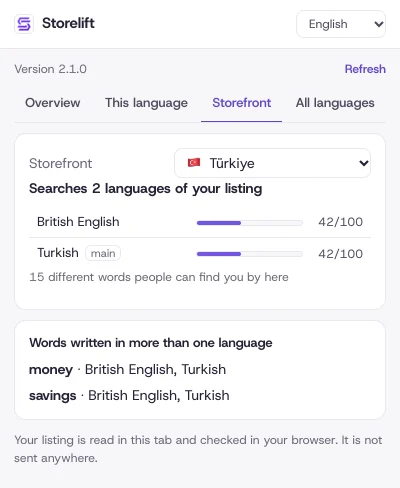
A storefront searches more than one language: Turkey reads Turkish and British English, the US reads English plus nine more. Pick a storefront to see the languages it reads, how many different words people can find you by there, and the words you wrote twice.
Every language in one table
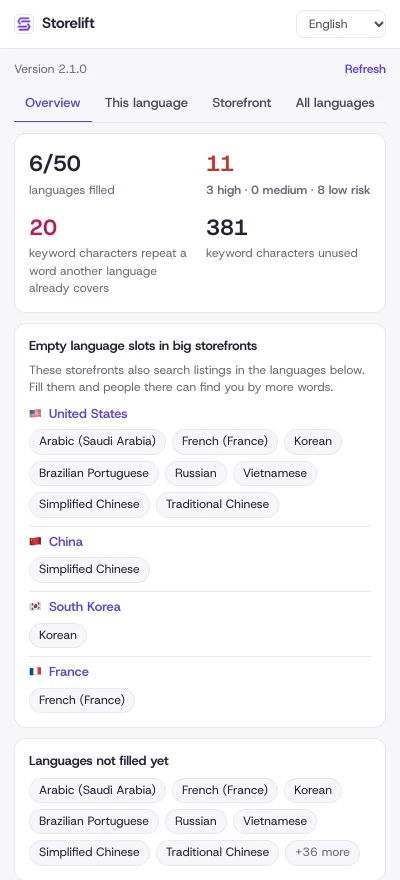
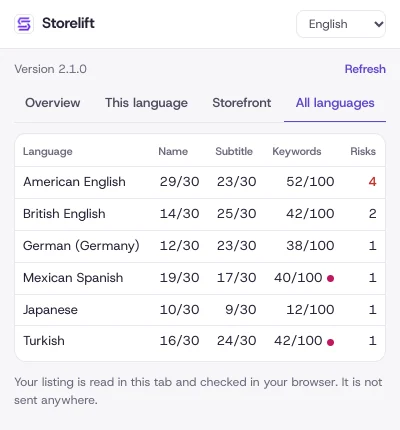
Name, subtitle and keyword field use for each language you've filled, with the risk count next to it. Empty language slots in big storefronts are listed on the Overview tab.
A score for any App Store page
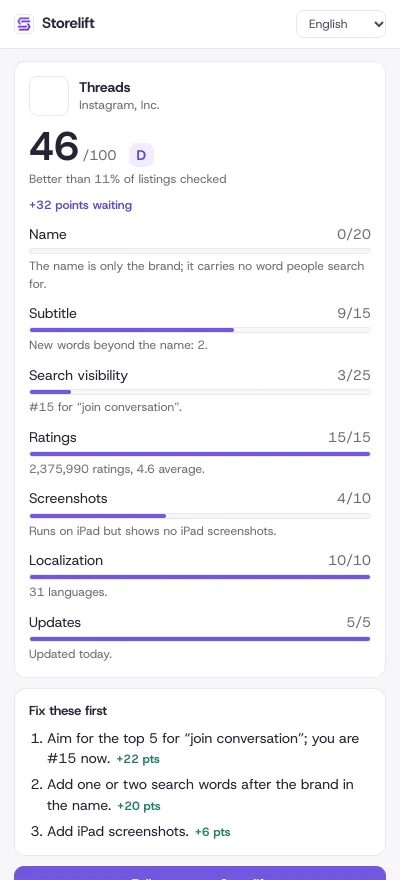
On an App Store product page, the panel scores the page out of 100 across seven areas and lists the fixes worth the most points first. It works for your app or a competitor's.
It reads. It never writes.
Nothing changes in App Store Connect
The extension never fills in, saves or submits anything. You make and save your changes in App Store Connect as usual.
Your listing stays in your browser
The listing is read from your open App Store Connect tab and checked in your browser. It isn't sent anywhere.
Only public data for the page score
To score an App Store page, the panel sends the app's public ID and the country code to storelift.net. Nothing else.
FAQ
Questions about the Chrome extension
Is the extension free?
Yes. It's free, with no sign-up and no API key. A Storelift account only comes in if you also want your keyword ranks tracked every day.
Does it change anything in App Store Connect?
No. It only reads. It never fills in a field, saves or submits. Every change is yours to make in App Store Connect.
Is my listing sent to Storelift?
No. Your listing is read from your open App Store Connect tab and checked in your browser. For the App Store page score, only the app's public ID and the country code go to storelift.net. The panel language and the storefront you picked are saved in your browser.
Which browsers does it work in?
Google Chrome 116 or later on a computer.
Does it work with Google Play Console?
Not at the moment. It checks App Store Connect listings and App Store product pages.
How is it different from Storelift?
The extension checks the text of your listing while you edit it. Storelift measures where your app ranks for those keywords every night in the storefronts you pick, and follows your competitors and reviews. The extension works without an account.
Which languages does the panel speak?
Ten: English, Turkish, German, Spanish, French, Japanese, Korean, Portuguese, Russian and Chinese. It follows your browser's language, and you can switch it in the panel.
Check your next update before you submit
Add Storelift to Chrome and open your app in App Store Connect.
Storelift is not affiliated with Apple. App Store and App Store Connect are trademarks of Apple Inc.