
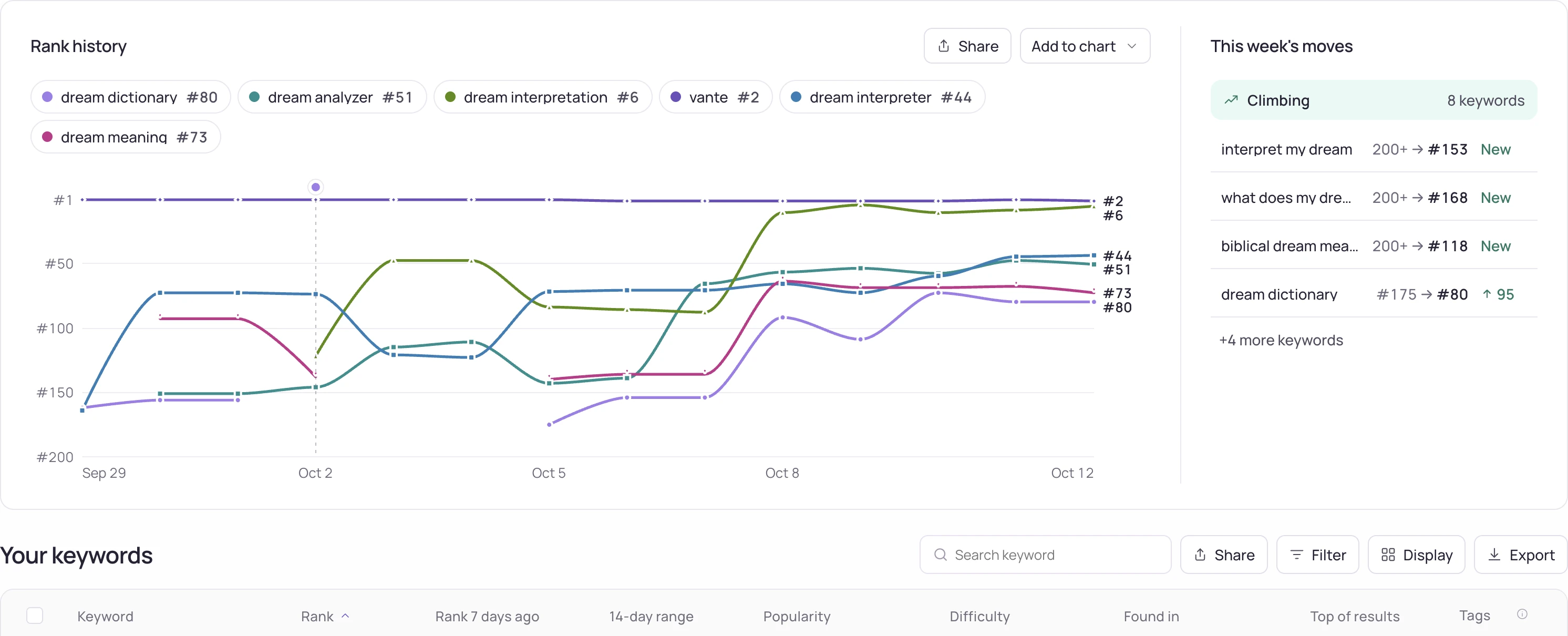
Investigation steps
- Verify that both observations succeeded and refer to the same app, term and storefront. Exclude missing observations and changes in search depth from the comparison.
- List the terms that fell together and the ones that stayed stable. Check whether the pattern follows a country, a metadata field or a specific app release.
- Read the competing apps above you before and after the change. Record new entrants, changed titles and your own release date as candidate explanations, keeping observations separate from assumptions.
Worked interpretation
Illustrative case: eight terms fall in one country while the same app stays stable elsewhere. Start with that country's availability, listing and competing results. A global rewrite would change more than the evidence currently justifies.
Decision and next check
Write a short investigation note with the affected set, first observed date, competing explanations and the next check. Change one controllable element at a time where practical. A later recovery alone does not prove which candidate explanation was correct.
Related Storelift feature
Read App Store competitor analysis for the available product data and its scope. Keep the app, storefront, period and measurement status with the observations used in your report.
Example output
| Keyword | Result |
|---|---|
| sleep sounds | Measured, not in the results |
| white noise | #57 |
The free rank check gives the same reading for one keyword of your own app.
Read the same result from your own code: API reference: keyword ranks · MCP server
Check your keyword rank now
The free rank check reads one keyword rank for your app in the storefront you pick, on the App Store or Google Play, and lists the apps above you.
Check a keyword rank →- How the keyword rank is measured
- Plans that track your keyword rank every dayFree: 25 keywords in each of 2 storefronts. Pro: 2,500 tracked keywords in every storefront.